
-11%
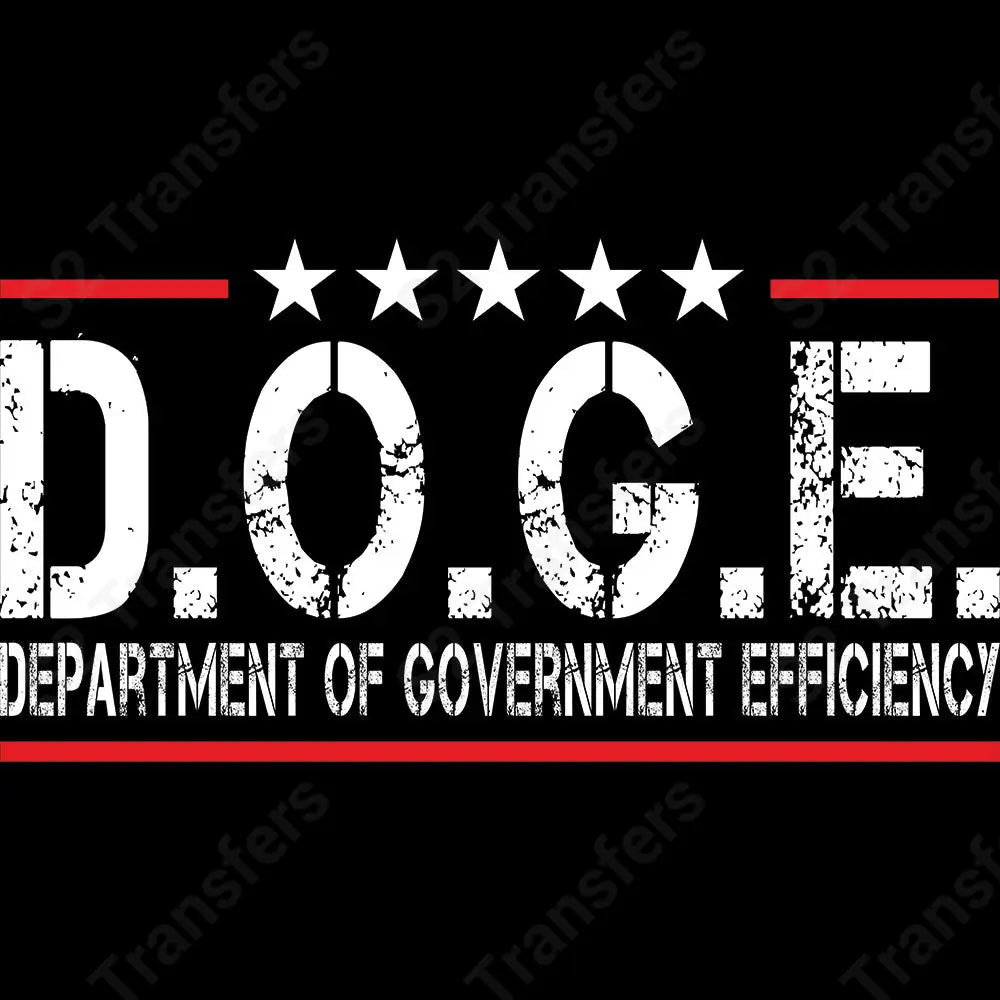
Your “D.O.G.E. – Department of Government Efficiency” DTF transfer in bold white letters.Design Features:Distressed White Lettering: Stands out fiercely on dark fabrics, giving it a bold and tactic...
About This Transfer
Your “D.O.G.E. – Department of Government Efficiency” DTF transfer in bold white letters.
Distressed White Lettering: Stands out fiercely on dark fabrics, giving it a bold and tactical feel with a cheeky twist.
Military-Style Layout: Five white stars sit above the acronym, flanked by strong red bars for that official-but-funny look.
Grunge Texture: Worn-in, battle-tested aesthetic perfect for those who love a gritty graphic with a message.
Satirical merch drops
Veterans and civil servants with a sense of humor
Patriotic parody fans
Gifts that’ll get a laugh (and maybe an eye-roll)
Just line it up and press using your heat press—zero weeding, max impact.
Rep the “Department” that everyone secretly knows doesn’t work—but at least you look good doing it.
Skip the tedious cutting and weeding. Press straight from the film to the garment.
Full-color CMYK prints with crisp gradients, fine detail, and no color limits.
Press at 285–300°F for 8–12 seconds with medium pressure. Peel hot or cold, then post-press for 5 seconds. Follow our heat-press instructions for fabric adjustments.
Designed, printed, and shipped from our facility in sunny Florida. Made in the USA.
The S2 Transfers Process
Heat press recommended for best results. Iron or Cricut press work too.

Lay your garment flat. Position the transfer on the garment with the design side facing up.

Press at 285–300°F for 8–12 seconds with medium, even pressure. Polyester needs lower settings; check our heat-press instructions before pressing.

Peel immediately, or let the transfer cool before peeling. Keep your hand close to the garment and peel across it. Cold peel works best for fine lines and details.

Cover with Teflon for a shiny finish or parchment for a matte finish. Post-press at 285–300°F for 5 seconds with medium pressure; follow the fabric adjustments in our heat-press instructions.
Questions about pressing? Reach out — we're happy to help.
Everything you need to know about this transfer — sizes, fabric compatibility, pressing instructions, and shipping. Have a question we didn't answer?
What Crafters Are Saying
Real reviews from real customers. Read what they have to say about our Ready-to-Press transfers.
Be the first to learn about new RTP design drops, get exclusive group member discounts, helpful tips, tricks, step-by-step tutorials, and hang out with like-minded people like you.
Buddy's waiting inside!